
Last week, we talked about how to organize digital music on your computer. But if you are one of those teachers who also likes to have a print of the music on hand, you are not alone!
Why would I also want to print my music?
Many teachers love the advantages of studio-licensed digital music (including the ability to print it over and over again while only purchasing it once). But why might you also want a print of the music? Here are just a few reasons:
- Out of site is frequently out of mind.
It’s just too easy to forget about all the wonderful digital music you have if you don’t have a physical print on your shelf. - You can give it to a student immediately.
When it’s already printed, all you have to do is reach for the notebook and pull it out. No finding it on your computer or taking the time to print. The piece is ready to go. - You can see the difficulty more readily, flip through multiple pieces, and know what’s appropriate for a student at a glance.
If it’s only on your computer, there’s not a super quick way to “flip” through the pages as if it’s one book. (Note: Our Student Solutions Catalog is a free resource that was designed to make finding music for students easy and super quick!)
So many teachers opt for not only an organized file structure on their computer, but also an organized set of prints that’s next to their piano.
How can I organize printed sheet music?
Organization is such a personalized task. But, there are techniques that apply to everyone to help ensure you are efficient and truly organized. Here is a system for organizing printed sheet music that you can tailor to your needs:
1. Get the materials ready.
You’ll need 3 ring binders, and these Avery 11429 organizational dividers or something similar. I especially like these because you can print labels that look professional.

2. Organize your notebooks.
To organize your printed sheet music, you’ll need to quickly evaluate how much music you have an how much you plan on adding in the next few years. Depending on how much digital sheet music you have, you may choose to create only 2-3 notebooks (one that’s elementary, intermediate and advanced) with lots of dividers. But if you have lots of studio-licensed music or anticipate having more and more because of the cost-effective way that you can budget for studio licensed music, it might be more effective to have smaller notebooks for each of these levels:
- Early elementary
- Elementary
- Late elementary
- Early intermediate
- Intermediate
- Late Intermediate
- Advancing
3. Use special notebook covers.
Recently, a teacher asked me if I had any covers that her students could use for their notebooks. I loved the idea of designing some, so I thought long and hard about what appeals to kids. I remembered those Little Golden Books and Berenstein Bears books that I loved as a child and that my kids still pour over saying, “I read that one!” or “I want to get that one!” or “How many have you read?”
It made me realize that though it would clearly help kids continue to be interested in Music Kids Love® (so it benefits me of course), a cover like this would be a great way to show kids that there are a LOT of pieces out there still to explore! And since our covers are so compelling to kids, this just invites them to want to play even more music!
So over the years, we’ve designed notebook covers. Our older ones are free and then our newer ones are much more specific and useful.
We are currently create special new Notebook Covers and Inserts that include “spine inserts” so that you can actually see what’s in the notebook when it’s on your shelf. We currently have these available:
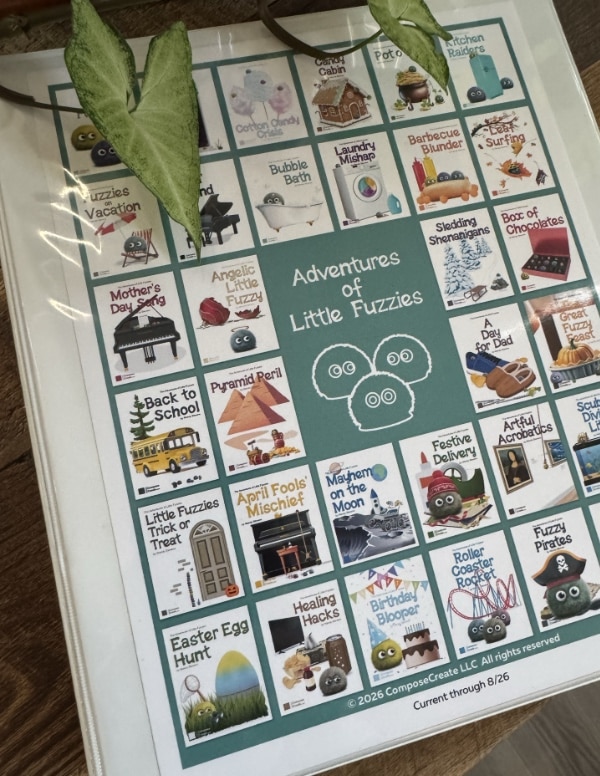
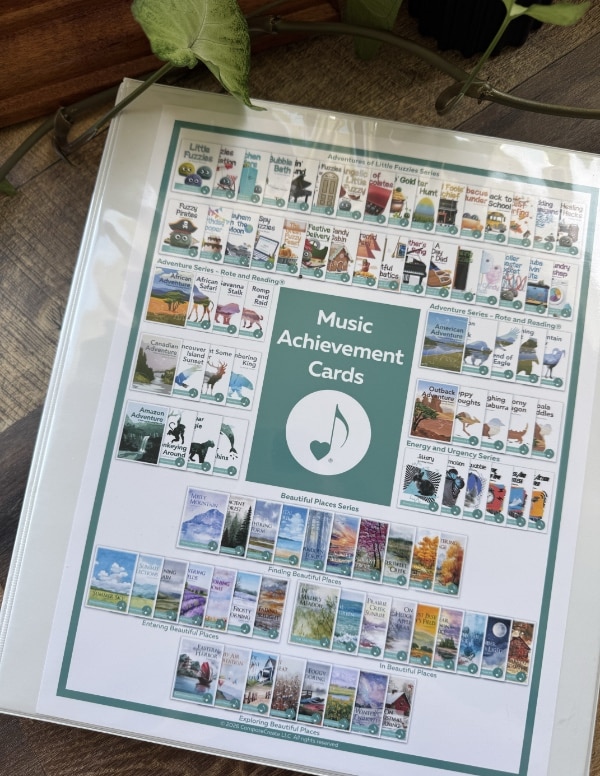
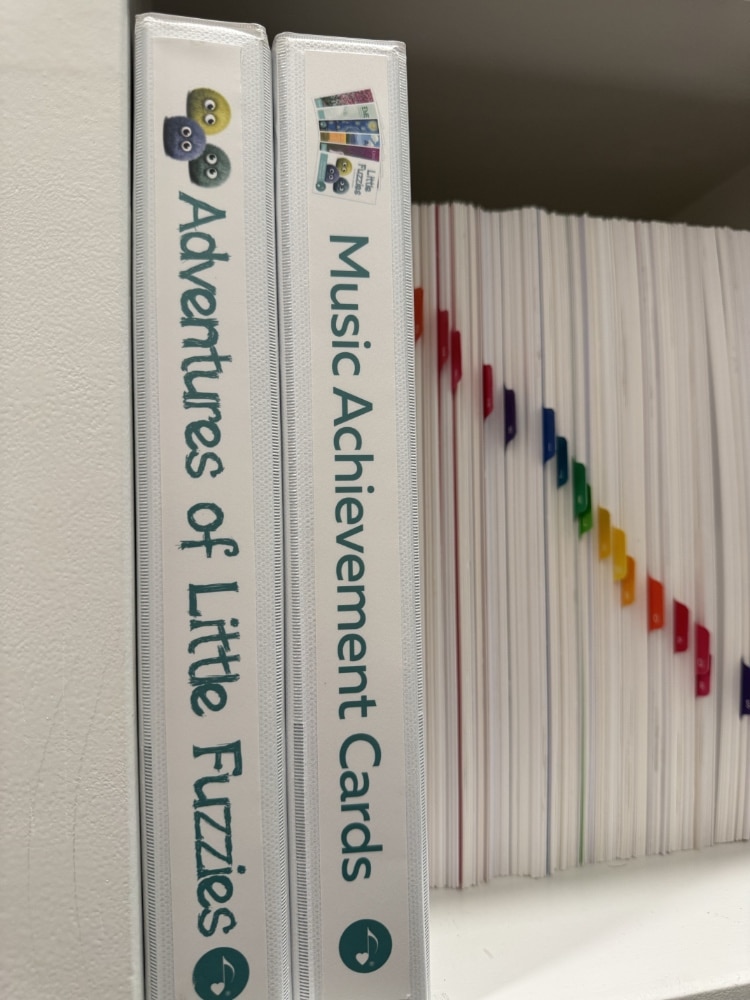
The free notebook covers do not have spine inserts and are more for general organizing. But you can get the free notebook covers here. (Looking for Christmas covers? You can download those here!)

3. Print your tabs.
Assuming you have separate notebooks for each level, you can simply print your Avery tabs according to the concepts that are important to you. For example, for the early elementary level, these are the tabs I would make/print:
- Rote and Reading®
- Black Key
- Easy white key
- Sounds big

Another example: for your mid elementary notebook, you might print these tabs:
- C position
- Middle C position
- G position
- Moving out of position
- Sounds big
- Staccato
- Legato
- Mature sounding
You can easily see how these tabs are very personal to how you teach. So, you need to just make a list of what concepts are important for each level. Then print.
4. Print out and file your digital music in your notebooks.
Remember that the beauty and value of the studio license is that you can make as many prints as you ever need for students you directly teach. So that means:
- One piece can be printed multiple times and can go under different tabs
- You can make multiple prints of the same piece under the same tab so you can easily pull it out and not have to worry that it will be missing the next time.
5. Maintain and manage the organization system
When everything is organized, you’ll need to maintain your system for maximum efficiency.
Whenever you take a piece from your notebook, simply stick a post-it note to where you pulled out the music and write the name of the piece on the post it note. Then, at the end of the week or month, you’ll print more of that piece and put it back in the notebook.
Organizing is so fun and incredibly rewarding when it’s done! I’d LOVE to see a picture of your organized music if you want to send it to me at [email protected] or follow us on Instagram and tag us. Better yet, share in the comments below how you organize printed sheet music or if you have ideas that enhance this one!
Be sure to read the How to Organize Digital Music since that will also help you keep ALL your music organized no matter in what form it is stored.
Happy organizing!

Hi Wendy! One of the ways I’ve kept (halfway!) organized is to keep a 3-ring binder of assigned music for each student, along with their assignments for each week. (I schedule virtual lessons on the hour and immediately following each student’s lesson, I send the next week’s assignment – I teach 35-50 minute lessons.) I ask students to organize their sheet music also in a 3-ring binder and to keep their music books organized at the piano (or in the piano bench), with their assignment pages tabbed. I also keep two large reference binders for my use, with alphabetized pieces by title/key, etc, labelled Elementary/Late Elementary and Early Intermediate through Advanced. I like your suggestion of filing by levels, which I will also try. Thanks for all the great ideas that you share with us! Norma
Wendy, you are my hero! These are wonderful ideas. I’ve already made headway with the digital filing. Won’t it be great when all the teachers can find (and remember!) ALL the music?!? Thanks!
Hi Wendy,
Thank you for this organizational information. I will try it for my printed music and digital music.
I, like Norma teach virtual lessons all 45 and 60 min. lessons. I always had a binder for each student, but since I’ve been teaching virtual lessons, I use one very large 3 inch binder and I have a tab for each student alphabetically using last name. This includes the weekly assignment Each student also has an attendance page, to keep track of lessons. and at the back of the book I have tabs alphabetically to add copies of payment ( all pay by check ). I also have another binder that keeps track of the materials ( books, solo sheets, etc ) for each student, so this year I typed all the music each student had purchased over the years listed as follows: Holiday Music/ Jazz Music / Classical Music / Fall Themes / Halloween/ Method books/ Technique Books/ Theory Books / Popular Books and Duets. This way I can see at a quick glance what each student has at home. For example we will be picking out music for our March Recital and the students will be selecting music from Jazz/ Broadway/ Popular and Movies Themes. I know what they have at home and if they need new music, I put it together and the parents or student will come by and pick it up. Finally, I have a large bin that has the names of each student alphabetically where I keep the music they are currently working on. I have a large inventory of music, so that has been helpful. If I don’t have the piece or book I will order it immediately and have it filed under the students name. This has worked really well for me and it is very efficient. No time is wasted looking for music etc. The lesson plans are in one place. My binder for the first semester ( 16 weeks ) is full, so now I will start a new one for the second semester. I save all the lesson assignments to see what was covered. I also have 10 goals that each student works on each semester. This includes : Technical skills ( scales, chords, inversions, cadences, ) theory book, ear training, compositions and repertoire. We will have evaluations in January to finish the first semester and begin a new set of goals for the second . semester which begins in Feb. Hope these ideas help others organize their studio for virtual teaching. Happy New Year!
Thanks for this, Wendy! I’m going to link to it on my most recent blog post where I talk about physical music book organization – another topic that comes up frequently!
Hi Cheryl,
Thanks so much for sharing how you organize things! I think that’s really helpful to other teachers and I really appreciate you taking the time to type it all out!
Happy New Year to you too!
Wendy,
I love this idea, but I take it a step further.
I have created files on my computer according to the same name as binders. I have a binder for each month of the year for seasonal pieces, and, since I do themed recitals, a binder for various themes (for example: Disney, Jazz, Western/Cowboy/Texas, Around the World, Medieval Times, Space, Animals, etc.) I use a similar tab system but it is specific to each binder. So in December, all I had to do was grab my December binder (“Holiday and Christmas Repertoire”) and I had all my digital pieces right at my fingertips. The tabs made it easy to locate pieces for students at different levels. For students I am teaching in person, I could hand them the printed copy right then. For students I am teaching online, all I had to do was go to the SAME labeled folder on my computer, open up my “December” folder and locate the piece. I have saved all my pieces with the level in parentheses first so I can locate pieces by level very quickly (for example: “(LI) Deck the Halls Hoedown – Wendy Stevens”). Then I could email, text, or use the chat feature to send them the music immediately.
For my printed music, I have 3-tier paper stacking trays that I use. I pull those out at the beginning of each month for seasonal pieces.The rest of the music is simply organized by publisher. I keep all these trays on a bookshelf. They fit nicely and it’s easy to grab what I need at a moments’ notice.
Hello Music Teachers. What great ideas, I use printed music, my students have a method book but I like to give them solo pieces as well. Thanks Wendy and Diane your pieces are so enjoyable. I’m not a great organiser, I have tried individual folders, but with teaching at 3 different vicinities got a bit complicated. Now I just have one folder for each school which seems to work.
For those who teach at a school (or did teach at school) it is so annoying when the students do not bring their music. Any ideas, I have tried taking every book and piece of music as a backup. Also how do you fit in theory, I do a bit within a lesson.
Your ideas will be appreciated.
Gosh, I feel like I have met My People! Wendy, Cheryl and Debbi — I thought I was the only person left standing who loves binders and notebooks. So many of my younger colleagues are 100% digital/online/electronic. My firm belief is that, if it doesn’t have a notebook, it ain’t real. 😉 But I have definitely gotten some great new ideas from you all for organizing music (and notebooks) in newer, more efficient ways. After 40+ yeas of teaching piano, and a lifetime of piggish music-buying habits, I have a nearly overwhelming amount of printed music, filling 3 large bookcases in my studio and living room. I have this fantasy that someday it will all be catalogued and cross-referenced down to a ‘T’, and all I have to do is quickly click ….. something ….. and the perfect music for any occasion will fall into my open hand. Until then I will work on creating a few new, better-organized notebooks and filing systems. Thanks to all!
❤️ So glad this was helpful, Kathy! Thanks for letting me know and I hope you have fun organizing!